
Keep the furniture grounded in its photographed space
Furniture Video Maker
The furniture video maker creates a short showcase from an existing product or room photo. Show the visible material and outline, then inspect perspective and floor contact in the result. Generated views do not establish accurate dimensions, hidden construction, or whether an item fits a customer's room.
Create a furniture showcaseStarting image
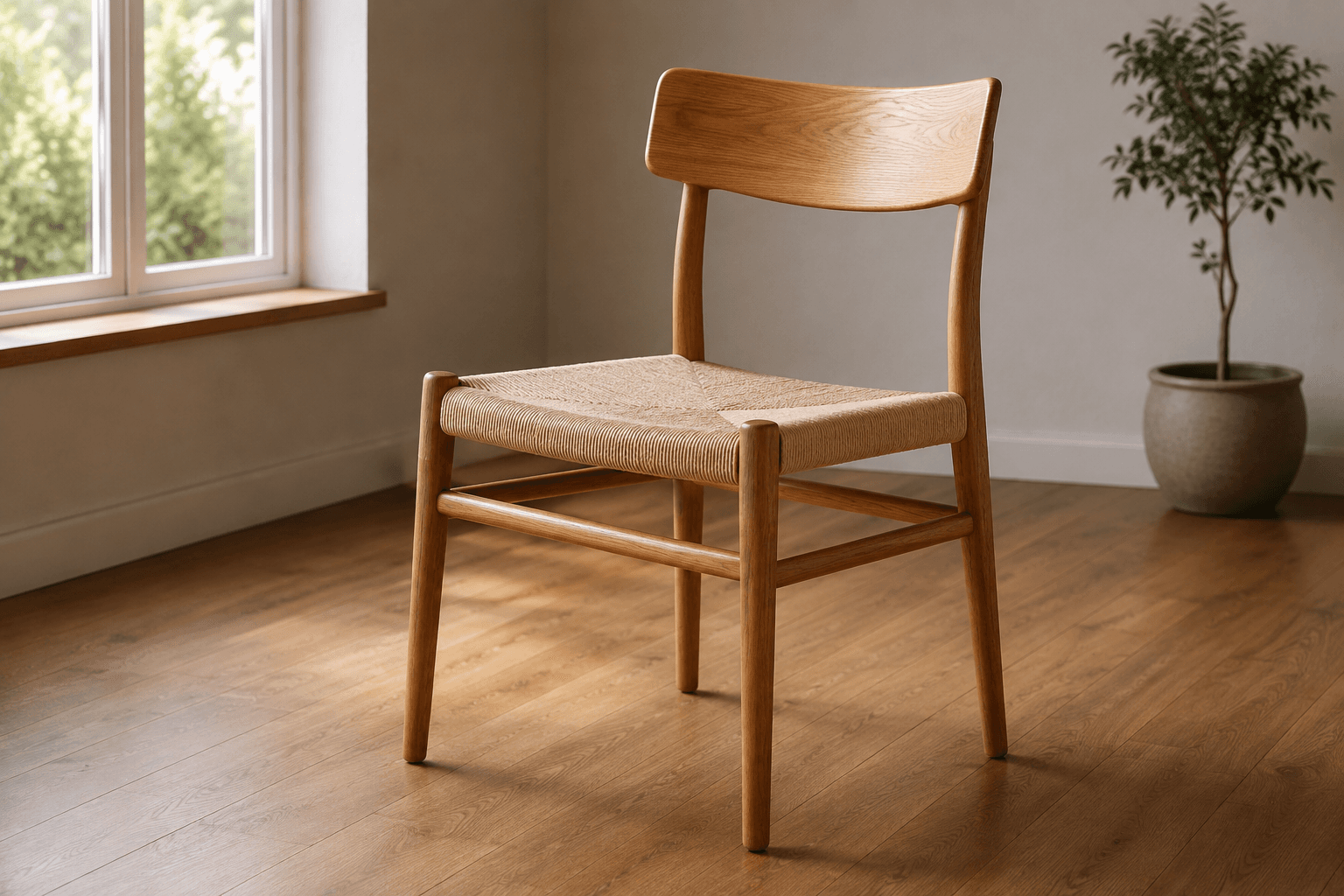
Generated clip
Start where the chair meets the floor
Before looking at the fabric, follow the chair legs to the floor. Note the visible contact points and the shadows around them. Those relationships tell you whether the object still appears to sit in the photographed room as the camera moves.
A leg can stretch, a shadow can detach, or the floor can slide beneath an otherwise convincing chair. The furniture video maker adds new frames, so treat these connections as review references rather than assuming a stationary object will keep them automatically.
Use a product photo when the object is the whole subject
A clear chair photograph can show its front silhouette, arm shape, and visible seat surface. Keep the background separated from the legs and leave the full outline inside the crop. Product Agent can prepare the prompt for a short view from this input.
The furniture video maker cannot know the back of a chair from a front view. If the rear construction matters to the buyer, provide an actual rear photograph in the listing. A wide orbit can introduce an apparently plausible structure that has no reference in the source.
For a table, keep the photographed top edge and legs readable. Do not use a tight tabletop crop when the intended claim depends on the base or overall shape. Choose the input according to what the customer needs to inspect.
Use a room photo when the surroundings explain the view
A room photograph gives the furniture a relationship with a wall, rug, or nearby table. Preserve those relationships by keeping the camera movement modest. A larger move can reveal unpictured floor area or change the apparent distance between objects.
Check the source for lens distortion before using the furniture video maker. An exaggerated wide-angle view can already make a chair look stretched near the edge. Generation does not turn that photograph into a measured representation of the room.
Use your own room photograph when the setting must be accurate. A synthetic scene can illustrate an arrangement, but it should not be presented as a record of a customer's home or a verified room installation.
Follow a material detail that the source actually contains
For wood, identify a visible grain line or knot near a stable edge. For upholstery, look at a seam and the texture beside it. A camera approach can bring those details closer, but a changing pattern can make the object appear to use a different material.
Metal legs need a different check. A reflection can travel while the leg shape remains fixed; inspect its width and connection to the seat as the light changes. If a highlight hides a joint, compare the nearby frames rather than assuming the connection survived.
The furniture video maker does not establish whether a surface is solid wood, veneer, leather, or another material. Use verified product information for those descriptions. The generated appearance can help present the photographed item, while its composition and material specifications need their own evidence.
Create a furniture showcase
The video aspect ratio follows your image.
Advanced options · Optional end frame
Sign up for 40 free credits—enough for a 5-second video at 768P.
Use the furniture video maker on the photographed view
Upload a prepared product or room image in Product Agent / Single. This workflow prepares its prompt automatically. Choose 5–15 seconds and either 480P or 768P. Review the credit amount before submitting and use a short candidate for the initial geometry check.
The output inherits the source ratio. A wide room image will remain wide, so choose or crop the source for the intended destination before upload. Keep enough surrounding floor to inspect contact points; cropping them away removes useful evidence from the review.
If you need to specify a small camera approach or lateral move, use Image to Video. Describe that movement around the existing view. Product Agent has no hand-written prompt field, and a prompt cannot supply accurate hidden geometry.
Starting image
Generated clip
Review geometry before deciding the clip is usable
Watch the completed furniture video maker result once at normal speed. Then pause through the points where the camera changes direction or reveals more of a leg. Compare the output with the source at a similar framing so a crop change does not distract from an actual shape change.
| Reference | Question to answer | Reason to reject the candidate |
|---|---|---|
| Floor contact | Do visible legs remain connected to the same supporting surface? | A floating foot, sliding floor, or detached contact shadow |
| Object outline | Do the seat, back, and legs retain their photographed proportions? | A widening back, bending rigid edge, or disappearing support |
| Room relationship | Does the object remain plausibly placed beside nearby furniture? | A rug passing through a leg or a wall changing position without a coherent move |
| Material feature | Can the chosen grain, seam, or edge be followed through the clip? | A texture drifting independently of the surface |
Keep measurements outside the generated perspective
Give width, depth, and height using measured product information. A photograph can suggest a relationship with nearby objects, but camera distance and lens choice affect apparent size. The furniture video maker cannot establish whether a chair will fit beneath a particular desk or pass through a doorway.
Use an accurate size diagram or recorded measurement where that question matters. If you add dimension text in an external editor, take the numbers from verified records and keep the annotations clear of the furniture detail. Do not trace a generated frame as if it were a technical drawing.
The same rule applies to mechanisms. A closed cabinet image does not show how shelves are arranged inside, and a sofa photograph does not document reclining movement. Use actual photographs or recorded operation for those features. Keep the furniture video maker focused on the view you can check.
Prepare the accepted clip for its product page
Download the reviewed candidate and keep the source with it. Trim any unusable frames in an editor and inspect the exported beginning and end. A short clip can sit beside a wider room photograph, while a separate detail still can show a seam or wood finish more clearly.
For a Shopify gallery, use the product media workflow to check the file in the actual theme. For a handmade home item, read the Etsy listing workflow before preparing the final file.
When geometry changes, return to the input and the requested motion. The distortion guide can help you plan another furniture video maker candidate; a new generation has a new credit cost.