
Product appearance footage for seller review
Amazon Product Video Maker
Use the Amazon product video maker to prepare a short appearance clip from a product photo. Inspect the result, download it, and check your seller account requirements before uploading. H3 Max does not read ASINs, connect to Seller Central, or guarantee Amazon approval.
Generate a listing clipConfirm your upload route first
Open the seller account and marketplace where the product is listed. Amazon's seller guide describes Upload and Manage Videos and Image Manager as upload routes. Use the route available to your account, then read its current eligibility and file instructions. Access to a video tool here does not establish access to a specific Amazon placement.
Decide what kind of footage you can truthfully provide. A photographed pair of headphones can support a short view of the earcups and headband. It cannot document noise cancellation, battery life, or the experience of connecting a phone. Those subjects need evidence beyond the generated appearance shot.
Use the Amazon product video maker for visible details
This workflow is most useful when the intended shot has a narrow visual task. For an electronic accessory, choose one photographed view with a clear outline and visible controls. Keep the source large enough to inspect the small parts that distinguish this model from a similar one.
Starting image
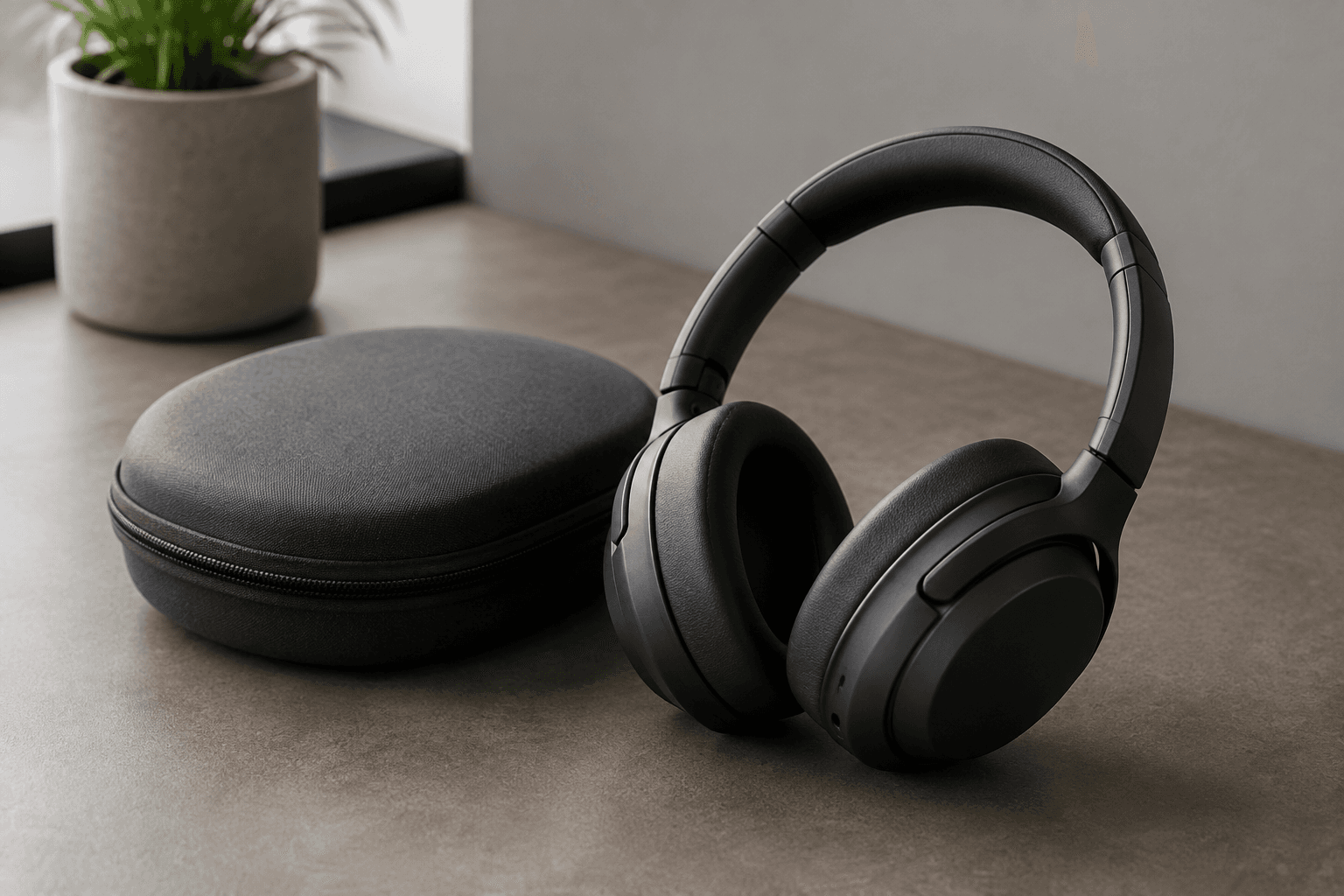
Generated clip
Write a short evidence note
Record what is visible: the casing color, the shape of the earcups, the location of a hinge, or the number of buttons on the photographed side. Add the source filename and the intended product identifier to your working notes. This makes a later review less dependent on recognizing a thumbnail.
Separate that note from product specifications. A reflection on a housing does not establish its material, and a port shape does not establish supported protocols. Use verified product documentation for claims that the picture cannot prove.
If a necessary feature is hidden, photograph it. Asking the Amazon product video maker to rotate the item until an unseen back panel appears creates a view you cannot validate against the input. A second accurate still is a better reference for that part of the listing.
Generate a listing clip
The video aspect ratio follows your image.
Advanced options · Optional end frame
Sign up for 40 free credits—enough for a 5-second video at 768P.
Keep the first generation easy to inspect
Choose Product Agent / Single and upload the prepared photo. This mode prepares its own prompt. Select 5–15 seconds and either 480P or 768P, then review the credit amount before submitting. The output follows the input image ratio, so establish the intended framing before upload.
Begin with a short shot that keeps the photographed face in view. After generation, watch at normal speed to judge the overall movement, then pause where a button or edge changes position. The Amazon product video maker creates new frames, so the source photo should remain beside the player throughout review.
Use the image workflow when a written motion instruction is necessary, such as a slow approach toward the visible front surface. Keep that instruction about the camera and scene. Repeating model specifications in a prompt does not make those specifications verifiable in the output.
Resolution requires a separate decision. The 480P and 768P controls are H3 Max output tiers. Read the downloaded file's actual width and height and compare them with the current Amazon upload requirements. Do not assume that a tier label guarantees acceptance, or that enlarging a file will restore a distorted small mark.
Keep platform checks beside your visual checks
In the Amazon product video maker
Check that the pictured model still looks like the source. Follow the outer casing, count visible buttons, and compare any printed region through the whole usable shot. Reject invented accessories or changed packaging contents. A momentary mismatch still matters if that frame remains in the final file.
Keep a review note for any trimmed section. If the clip looks accurate only until a particular frame, document that cut point in the editor. Naming the problem, such as a merging hinge or an extra opening, is more useful than calling the result slightly off.
In the seller upload workflow
Verify the intended ASIN, permitted placement, file instructions, and the information requested by the upload form. Amazon's guide lists different video types, including product overview and how-to. Select a type that matches the actual content; an exterior beauty shot should not be presented as an operating tutorial.
Review any title, thumbnail, or added copy with the finished footage. Remove statements the video cannot support and check brand details against your product documentation. The platform review remains a separate step after the Amazon product video maker has finished.
Prepare a file that can be handed to another reviewer
Download the selected clip and keep it with the original image. In an external editor, trim rejected frames and add only the text or recorded material that the listing needs. H3 Max does not assemble a full branded demonstration, add voiceover, or place the finished file into your seller account.
Watch the export after editing, even if you already reviewed the source generation. Cropping can remove a visible button, and a new text overlay can cover the only clear view of a port. Confirm that the thumbnail represents the item shown in the video and does not imply an included accessory that appears only as a prop.
For a team handoff, include the product identifier, source image, selected export, and the scope of the shot. A note such as exterior view only keeps a later editor from building a performance claim around footage made with the Amazon product video maker. Include the photographed side as well: front controls visible is a more useful handoff than approved video. If another reviewer needs a connector close-up, that note identifies the missing shot before the listing file is assembled.
Questions from listing teams
Can every seller use the same video entry point?
Do not assume so. Check the marketplace and account where you intend to upload. The Amazon product video maker does not determine seller eligibility, and public instructions may not describe every account state. Follow the current controls and notices in Seller Central.
Will an accepted generation pass Amazon review?
There is no approval guarantee. A completed generation means a file was produced. Your product accuracy review, export checks, account permissions, and Amazon's content review still determine whether that file can be used in the intended listing.
Can I show the product working from one photo?
Use recorded footage for an actual operating demonstration. Generated screens, connection states, or moving mechanisms can look plausible without reflecting the device. Keep the Amazon product video maker focused on the photographed appearance, then add verified demonstrations separately if your listing needs them.